
Why Remakes Are a Hidden Cost in CAD CAM Dental Workflows
January 22, 2026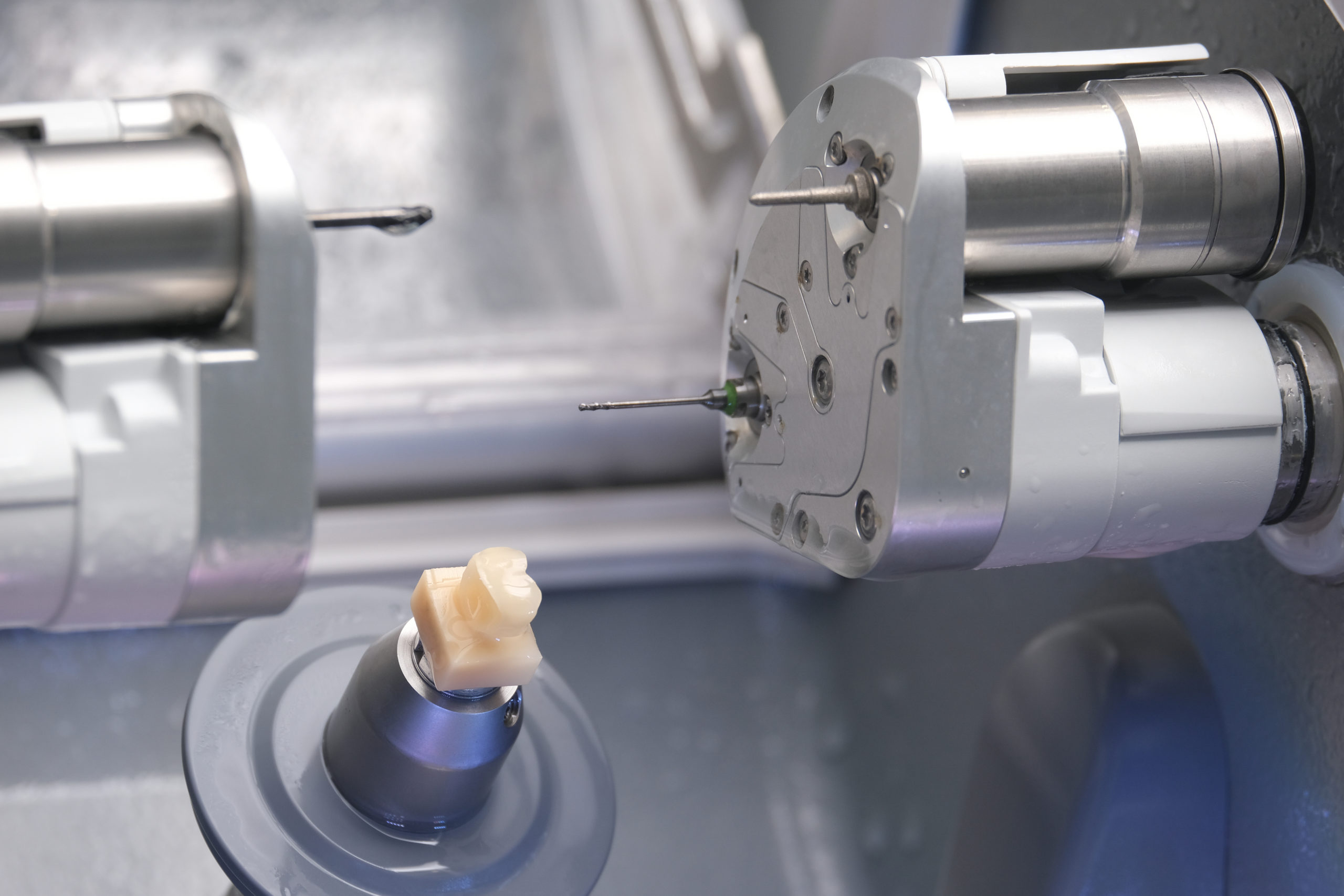
CAD/CAM dentistry has changed restorative care for dental practices. Digital impressions move faster than traditional methods, and chairside CAD/CAM production shortens turnaround and supports single-visit treatments.
In short, CAD CAM dental systems are designed for precision.
Remakes still happen. A clinical study published in The Journal of Prosthetic Dentistry reported an average crown remake rate of 3.8%, with substantial variation across dental clinics and offices. Each remake adds chair time and erodes patient satisfaction. Profit margins feel the pressure across dental practices.
Technology alone does not prevent errors. Even in advanced CAD/CAM dental systems, minor workflow issues can lead to costly digital crown remakes. Spotting where breakdowns begin helps dental professionals regain control of the digital workflow.
What this post covers:
- Where the digital dentistry workflow breaks down in CAD/CAM dentistry
- Common CAD CAM dentistry problems that drive remakes
- Why digital crowns expose workflow gaps first
- Practical ways to reduce remakes in chairside CAD/CAM systems
Understanding the CAD/CAM Digital Dentistry Workflow
The digital dentistry workflow in CAD/CAM environments follows a connected path. Digital impressions captured through intraoral scanning record tooth preparation inside the patient’s mouth. Dental CAD software supports digital design and restoration design.
Milling machines or other computer-aided manufacturing tools convert that file into a final restoration. Placement completes the treatment process.
Each step depends on the previous step. Inaccurate digital impressions degrade the accuracy of digital design. Design issues carry into the milling process. Small deviations accumulate as cases progress.
In CAD/CAM dentistry, early mistakes rarely correct themselves once the final restoration is produced.
Dental technology supports speed and precision, but consistency controls outcomes. Chairside CAD/CAM systems perform best when dental professionals follow repeatable steps and shared standards. When digital workflow steps vary, remakes follow.
Common CAD/CAM Dentistry Problems That Cause Remakes
Remakes in CAD/CAM dentistry rarely come from a single mistake. They develop when small errors move unnoticed through the digital dentistry workflow. By the time a dental restoration reaches delivery, several issues may already be embedded in the CAD/CAM dental process.
The most common problems that drive remakes tend to fall into four areas:
- Where digital impressions introduce errors that follow every step
- How dental CAD software design mistakes affect fit and function
- Why chairside CAD/CAM material and milling limits matter
- How bite registration problems lead to last-minute adjustments
Inaccurate Digital Impressions and Scan Errors
Digital impressions establish the foundation for every dental restoration. When scan data lacks precision, digital crowns struggle to seat correctly against surrounding teeth and adjacent teeth. Incomplete margin capture, contamination from saliva or blood, and inconsistent intraoral scanning technique all distort the digital model.
Scan errors carry forward. Dental CAD software must compensate for missing or unclear data during restoration design. Margins become harder to define. Contacts shift against natural teeth. Occlusion estimates lose accuracy. In CAD/CAM dentistry, early scan problems remain one of the most frequent sources of remakes.
Design Errors in Dental CAD Software
Dental CAD software shapes how dental prostheses function clinically. Incorrect margin tracing leads to open or overextended margins. Poor occlusal design creates high spots. Inadequate contact points cause seating resistance or food traps between surrounding teeth.
Many of these issues stem from workflow habits rather than software limits. Inconsistent CAD software parameters, rushed case setup, and limited training increase variability. In CAD CAM dental systems, design discipline directly affects remake rates and predictable outcomes.
Chairside CAD/CAM Material and Milling Limitations
Material selection plays a major role in strength and fit. Using inappropriate materials, such as incorrect ceramics or other materials for the case, increases fracture risk or compromises marginal accuracy. Chairside CAD/CAM systems also rely on properly calibrated milling units and milling machines.
Tool wear and calibration drift affect precision over time. When milling units fall out of tolerance, restorations require excessive adjustment or replacement. Digital crowns produced under these conditions increase chair time and the frequency of remakes across dental offices.
Improper Occlusal and Bite Registration
Accurate bite data remains essential in digital workflows. Incomplete or distorted occlusal records lead to high contacts and seating problems during placement. Even small discrepancies trigger adjustments at the dental chair.
Repeated occlusal corrections weaken restorations and frustrate patients. In CAD/CAM dentistry, careful bite verification reduces avoidable remakes tied to occlusion and patient experience.
Digital Crowns: Where CAD/CAM Errors Show Up Most
Digital crowns expose workflow problems faster than almost any other dental restoration. They rely on precision at every stage, from intraoral scanning through final placement. When small CAD/CAM errors slip through earlier steps, digital crowns reveal them immediately at delivery.
Open margins, tight or open contacts, and occlusal discrepancies rarely start at the final step. Marginal issues often stem from incomplete digital impressions. Contact problems reflect design shortcuts inside dental CAD software. Most occlusal errors are tied to inaccurate bite registration.
By the time a digital crown reaches seating, correction options narrow. Adjustments increase chair time. Remakes become more likely. In CAD/CAM dentistry, crowns make workflow gaps visible because they tolerate very little inconsistency.
How Workflow Gaps Increase Remakes in CAD/CAM Dentistry
Remakes place pressure on schedules long before they show up chairside. Each repeat visit adds chair time, disrupts daily flow, and strains staff resources across dental practices. Over time, those inefficiencies compound across dental clinics.
Clinical research published in the Journal of the American Dental Association shows wide variation in crown remake rates between clinicians, pointing to technique and workflow consistency as key drivers of outcomes.
Without repeatable standards, small deviations stack up. Inconsistent workflows increase adjustment time and remake risk. A disciplined digital dentistry workflow keeps results predictable and remakes under control.
Best Practices to Reduce CAD/CAM Remakes
Reducing remakes in CAD/CAM dentistry comes down to discipline, not speed. Dental practices that control each step of the digital workflow see fewer adjustments and more predictable outcomes.
The difference shows up when workflows stay consistent from scan to seat.
| Workflow Step | Inconsistent Approach | Standardized Approach |
| Digital scanning | Varies by operator and case | A defined intraoral scanning protocol is used every time |
| CAD design | Default settings or rushed design | Consistent parameters in dental CAD software |
| Chairside fabrication | Irregular calibration and tool checks | Scheduled maintenance of milling units |
| Occlusion checks | Minimal verification | Digital and clinical occlusal validation |
| Team training | Informal, case-by-case | Ongoing, documented training standards |
When teams follow repeatable processes, remakes decline. Digital crowns fit more predictably. Chairside CAD/CAM systems perform as intended. Over time, workflow discipline protects schedules, margins, and patient confidence.
CAD/CAM Remakes: Common Questions From Dental Practices
Why do CAD/CAM crowns need remakes?
Most remakes result from workflow gaps. Scan errors, design inconsistencies, material choices, or occlusal issues create fit problems.
How does dental CAD software affect crown accuracy?
CAD software controls margins, contacts, and occlusion. Inconsistent parameters or rushed digital design increase the risk of remakes.
Are chairside CAD/CAM systems more prone to errors?
No. Errors increase when calibration, maintenance, or fabrication steps vary between cases.
How can scanning errors be reduced in digital dentistry?
Consistent intraoral scanning technique, clear margin capture, and moisture control reduce downstream errors.
Do digital crowns have higher remake rates than traditional crowns?
They don’t have to. Remakes rise when digital workflows lack consistency or verification.
Supporting Better CAD/CAM Results From Scan to Chair
CAD/CAM remakes rarely come from a single failure. They grow out of small workflow gaps that recur across scanning, design, fabrication, and delivery.
When those gaps go unchecked, chair time increases, schedules tighten, and confidence in digital systems erodes.
At Cad-Ray, we work with dental professionals who want predictable outcomes. We support CAD/CAM dentistry with dental technology, practical training, and workflow guidance that fits real clinical environments. Our focus remains on reducing remakes by strengthening the digital dentistry workflow from start to finish.
If remakes are slowing your practice, it’s time to take control of the process.
Struggling with CAD/CAM remakes? Let our experts help you optimize your digital dentistry workflow and improve your CAD/CAM outcomes with better tools, training, and protocols. Reach out today.