
What Tools Are Best For Creating Digital Drawings Of Teeth And Smiles?
April 21, 2026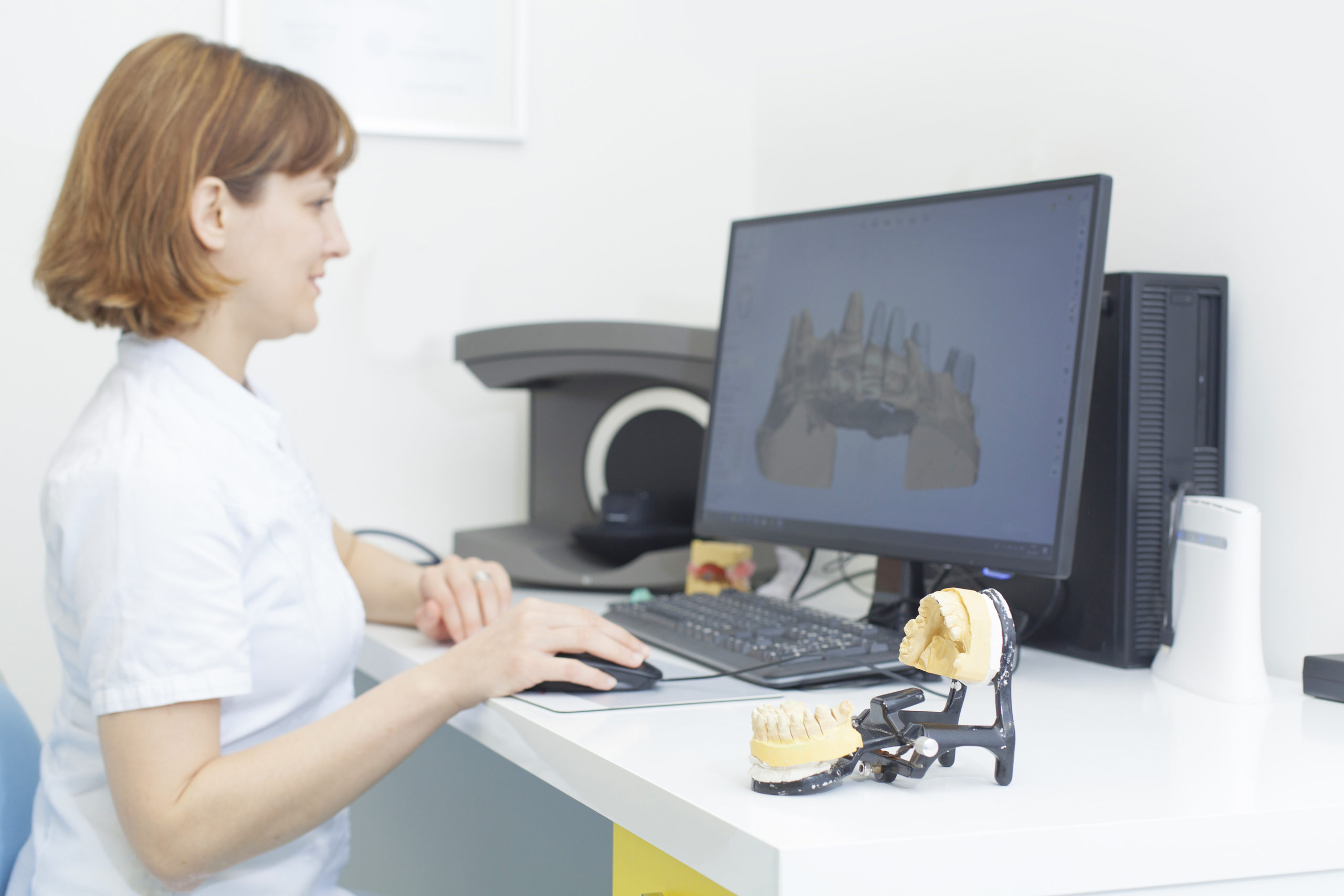
Seeing your future smile before treatment begins is an incredible moment, not to mention a powerful motivator. It takes what was once an abstract plan and turns it into something you can get excited about and actively pursue.
Digital smile design tools enable dentists to sketch, simulate, and refine a new smile with the precision that traditional wax-ups and hand-drawn sketches can’t match.
To get consistent, photorealistic results, however, you need a premium combination of hardware and dental smile design software that work together in a single, streamlined workflow.
Digital smile design is a proven workflow that improves communication between dentists and patients about esthetic treatment. A recent systematic review found that digital smile design consistently improves patient satisfaction, treatment acceptance, and perceived predictability in restorative dentistry.
This guide will break down what digital smile design software is, how it works, and which combination of intraoral scanners, facial scanners, and CAD platforms makes sense for your practice.
Think of it in terms of a practical digital smile design tools comparison, you can use when choosing digital dentistry tools for your clinic or upgrading the digital dentistry solutions you already rely on with CAD-Ray.
What Is Digital Smile Design Software and How Does It Work?
Before you compare brands or features, it helps to take a step back and look at what digital smile design software does in a real clinical workflow. Digital smile design pulls together scans, photos, and facial references so the dentist can plan a new smile digitally and show patients a realistic preview before treatment begins.
What Is Digital Smile Design Software?
Digital smile design is the process of using digital tools to plan, visualize, and communicate aesthetic changes to a patient’s teeth and smile before any clinical procedures begin.
Instead of sketching ideas and printing them out as photographs, the dentist creates a virtual version of the patient’s new smile, adjusting tooth shape, proportion, and color while keeping the smile line and facial structure in view.
In some systems, this is still done in 2D, overlaying new teeth on digital images of the patient’s face, while more advanced platforms build a true 3D model from intraoral scans that can be used directly for restorative dentistry.
As you can imagine, the shift to 3D has altered the digital smile design process because the same model used for smile simulation can also drive the CAD/CAM restorations and printed mockups. A single set of intraoral scans feeds into splints, veneers, crowns, and full-arch cases without the rework.
Compared to traditional cosmetic planning, digital smile design offers better communication and a more predictable outcome. After all, patients get to see their future smile and understand what the result will be like. It’s a level of visual clarity that builds confidence and shortens the consultation process.
How Does Smile Design Software Work?
Most digital smile design workflows follow the same basic pattern. You begin by capturing a digital impression with an intraoral scanner to create a precise 3D model of the teeth and bite. Next, a facial scan with tools like Medit Face Scan or QLONE Dental, so the proposed smile fits the patient’s face and lip line.
Once the scanning is finished, the data is imported into dental CAD or smile design software to digitally reshape, reposition, or add teeth, building a virtual wax-up that reveals the planned restorative treatment.
The design can then be exported to CAM or a dental printer to fabricate mock-ups or provisionals. Afterward, it’s presented to the patient for feedback before any irreversible work begins.
How to Create a Digital Smile Design in Dentistry: The Essential Tool Stack
Once you understand the concept, the next question is a practical one. What do you need in place to create a predictable digital smile design from beginning to end? In most modern workflows, it means pairing an intraoral scanner with dental CAD software and, increasingly, a facial scanning tool that brings the patient’s face into the design.
Step 1: Start with the Right Intraoral Scanner
Intraoral scanners are the entry point for almost every digital smile design because they generate the 3D data your software depends on. Without accurate scans, even the best smile design software will struggle to deliver a precise virtual wax-up. Here are some key features to look for in 2026:
- Full-color intraoral scans for better communication and shade discussion.
- AI-assisted soft-tissue filtering to reduce rescans and chair time.
- Wireless, lightweight handpieces that are easy to move from operatory to operatory.
- Open export formats (STL/OBJ/PLY) so data flows into any design platform.
Common setups include:
- Medit i700: Open system, fast scanning, and direct links into Medit Smile Design and related apps.
- 3Shape TRIOS 5: Premium scanner with a polished UI and native integration into TRIOS Smile Design.
Open platform scanners are especially valuable because they feed any compatible dental CAD software without locking you into a single vendor. It’s extraordinarily flexible, and lets your clinic add a new lab partner, change CAD, or upgrade a dental printer without replacing the scanner itself.
Step 2: Choose Your Dental CAD Software
Once the scans are over and done with, the next step is choosing the dental CAD software that’s a match for your particular workflow and team. At this point, your dental lab will convert raw scan data into a digital design that you can print or mill. Some of the more popular options include:
- Exocad: Open, modular CAD platform with wax-up and restorative tools and works with any scanner.
- 3Shape Dental Designer: Tight integration with TRIOS scanners and a robust Smile Design module for practices already in the 3Shape ecosystem.
- Medit Design: Focused on quick, virtual wax-ups, mockups, and temporaries inside the same ecosystem as the scanner.
- Clinux: Cloud-based CAD built to simplify chairside design with minimal hardware and no local server requirements.
In every case, the CAD platform is doing three main jobs:
- Reshaping, adding, or repositioning teeth for a better smile and function.
- Generating a virtual wax-up aligned with restorative dentistry goals.
- Exporting clean files to a lab, CAM software, or a dental printer for fabrication.
Step 3: Add Facial Scanning for Full-Picture Smile Design
Facial data is what turns a technically good digital smile into a design that fits the patient’s face. Midline, lip, and facial symmetry are difficult to judge from teeth alone, but a 3D facial scan provides a clear frame for reference. The go-to tools in this space include:
- QLONE Dental: Smartphone-based facial scanner offered through CAD-Ray, built to export 3D facial modes into Exocad, 3Shape, Medit, and other open systems.
- Medit Face Scan: Captures teeth, lips, and nose together so you can see how the smile sits within the patient’s face during design.
In practice, the workflow will look like this:
- Capture intraoral scans and a facial scan.
- Merge both datasets in dental CAD or smile design software.
- Design the smile relative to the patient’s facial structure, not just the teeth.
This merged “virtual patient” reduces midline errors, produces more natural outcomes, and improves communication with both patients and labs. Dedicated facial scanning tools are particularly important here because generic phone scans often distort tooth geometry, while purpose-built apps and scanners maintain accurate references for precise digital smile design.
Digital Smile Design Tool Comparison: Which Is Right for Your Practice?
With so many scanners, platforms, and apps on the market, it can be difficult to sort out which digital smile design setup fits into your day-to-day workflow the best and most efficiently. A single-doctor cosmetic practice has very different needs than a full-service lab or multi-location group.
Comparison by Practice Type
The best digital smile design workflow depends heavily on your practice model, lab relationships, and how much design you want chairside. The table below summarizes common tool combos and where they fit best, based on CAD-Ray’s day-to-day work with digital dentistry tools.
| Tool Combination | Best For | Open System? | Facial Scan Integration | Key Strength |
| Medit i700 +Medit Design | General and cosmetic practices building a flexible digital smile workflow | Yes | Medit Face Scan and third-party facial scanners | Affordable, all-in-one Medit ecosystem with strong smile simulation and visualization features |
| 3Shape TRIOS 5 + Dental Designer | Premium or specialist clinics already in the 3Shape environment | Partial (strong inside 3Shape, more limited outside) | Native 3Shape facial and engagement apps | Speed, AI scan filtering, and a polished user interface tuned for modern dentistry |
| Exocad with any open scanner | Labs and advanced clinicians managing complex restorative dentistry cases | Yes, broad scanner and printer support | Via STL/OBJ merge from QLONE, Medit Face Scan, or other tools | Maximum flexibility, modular design software, and deep control for treatment planning and complete workflows |
| Clinux with any scanner | Any practice wanting to add facial-based digital smile design without a large hardware purchase | Yes | Via exported facial models | Cloud-based, simplified design software with minimal IT overhead and easy remote access |
| QLONE App + any CAD platform | Any practice wanting to add facial-based digital smile design without a large hardware purchase | Yes | Core facial scanning function | Low cost of entry, mobile-based capture, and broad compatibility with CAD-Ray’s open-system CAD/CAM software options |
This comparison makes it a little easier to match your goals to the right toolkit instead of trying to force a one-size-fits-all system into every case.
Key Buying Considerations
Before committing to any digital smile design system, it helps to take a step back and decide what you want the process to look like in your own clinic. Open systems, like Medit, Exocad, Clinux, and QLONE, give you the freedom to combine scanners, dental CAD software, and printers without being locked into a single vendor’s subscription bundle.
Practices also need to decide whether design will happen chairside with the dentist or primarily at the lab, since that choice will guide which design software tier and training you require.
Beyond pure design capabilities, look closely at how each platform handles digital images, patient smile simulations, and communication with labs. Real-time 3D visualization, before-and-after overlays, and printable or shareable treatment plans can dramatically improve case acceptance.
Finally, support and education are just as important as the features. CAD-Ray emphasizes training and workflow coaching so that clinicians use the digital dentistry tools they purchase instead of letting them gather dust in a corner.
Frequently Asked Questions
What is digital smile design software?
Digital smile design software is a category of dental smile design that uses 3D scan data and facial photos to virtually plan and preview changes to a patient’s teeth and smile before the treatment process begins.
How does smile design software work?
Most systems follow the same core steps: Capture intraoral scans, import the data into design software, digitally reshape or add teeth on a virtual model, then generate a mockup for patient review.
What is the best dental CAD software for smile design?
Popular options include Exocad, 3Shape, Dental Designer, and Medit Design, each with different strengths and weaknesses depending on your scanner, lab relationships, and budget.
How to create a digital smile design in dentistry without expensive equipment?
Many practices start with an open system scanner, such as the Medit i700, and pair it with cloud-based platforms like Clinux or modular software like Exocad, avoiding proprietary lock-in and high recurring fees.
Can I do a digital smile design with a facial scanner?
Yes, integrating facial scans with intraoral scans lets you design smiles in harmony with the patient’s face, midline, and lip line rather than just the teeth in isolation. Tools like QLONE Dental and Medit Face Scan are built specifically for this purpose and plug into the most modern dental CAD software platforms.
Add Digital Smile Design to Your Practice
Creating accurate digital drawings of teeth and smiles is much easier when you have the right foundation, like a precise intraoral scanner, open-system dental CAD software, and a reliable facial scanning tool all working together.
Open platforms like Medit, Exocad, Clinux, and QLONE let you transform that digital smile design process over time, instead of tying your clinic to a single vendor bundle.
If patients can see their new smile before treatment begins, they can better understand the plan, gain confidence, and agree to proceed.
CAD-Ray’s team is here to help with both equipment and education. Explore smile design training and video support, then browse open-system scanners for smile design to see which combination fits your practice the best.